Google Tag Manager (GTM) is usually introduced as the thing marketing uses so they do not have to bother engineering. That is how teams end up with broken conversions, duplicate page views, and tags nobody dares to change. In practice, ownership should be split: developers own the data layer and marketers own the tags. The data layer is the interface: well-named, well-shaped events that describe what happens in the product, so everything else (GA4 configuration, triggers, audiences) can change without a deployment.
The setup
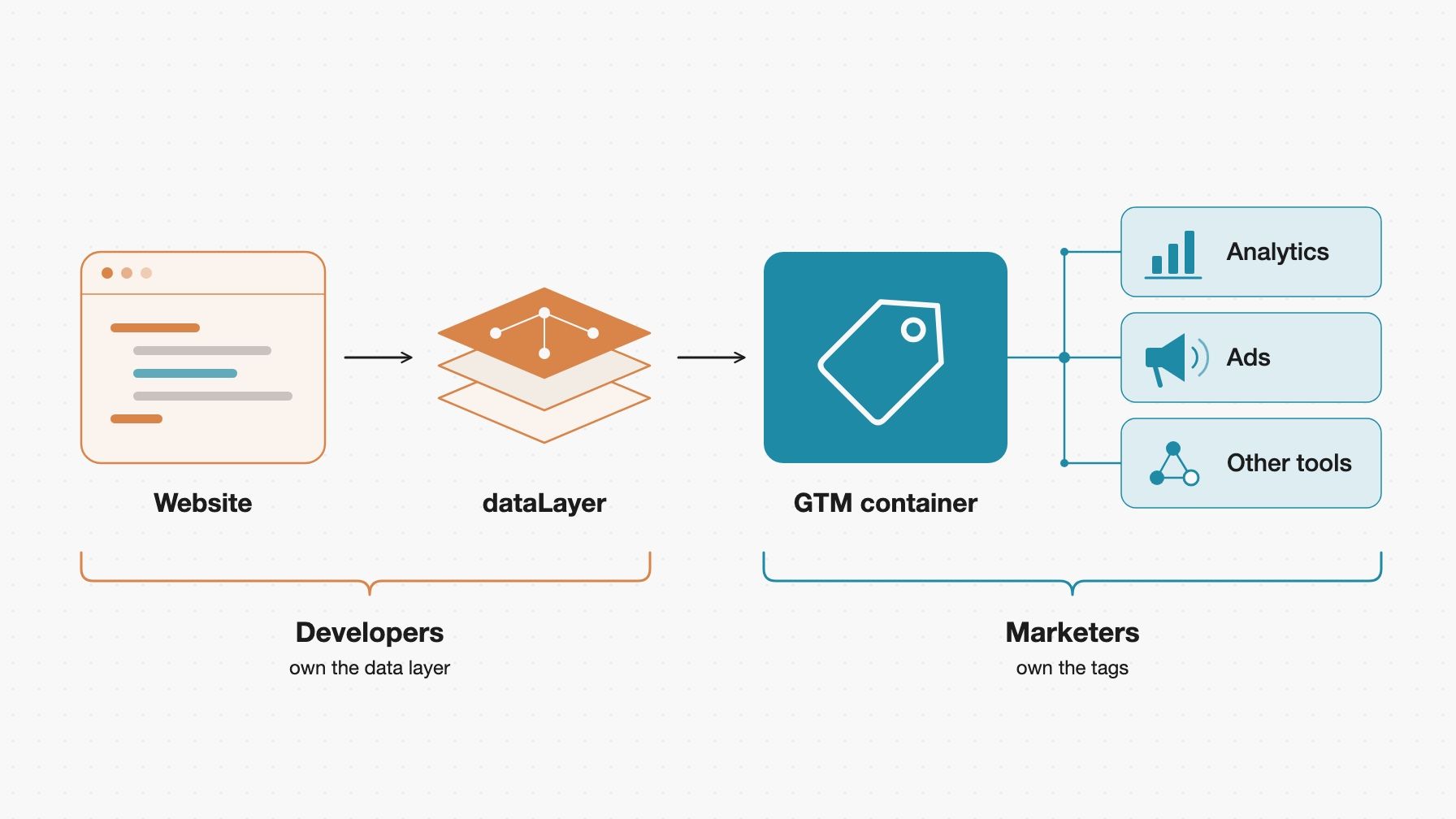
Developers feed the data layer, marketers take it from GTM onward
The GTM snippet goes as high in the <head> as possible, and the container ID comes from environment config. Google's current snippet is a single block, so there is no <noscript> part to add to the <body>. If a site still has the older two-part snippet, it keeps working and does not need a retag. Use one container, with custom GTM Environments for dev and staging and the standard Live snippet in production, and keep non-production traffic out of the production GA4 property.
The snippet creates window.dataLayer itself, so anything that has to run before the container, like consent defaults, goes in a script above it. Never reassign window.dataLayer afterward. Reassigning detaches GTM from the array it watches, and tags may stop firing without an error. Since an August 2026 update, Google's new snippets no longer include the gtag('config', ...) command. Google recommends the gtm init trigger instead. A hardcoded gtag('config', ...) next to a Google tag configured in GTM can send every page view twice, so remove it.
Here is the current snippet, with the container ID coming from config:
<head>
<script async src="https://www.googletagmanager.com/gtm.js?id=%GTM_ID%"></script>
<script>
window.dataLayer = window.dataLayer || [];
function gtag() { window.dataLayer.push(arguments); }
gtag('js', new Date());
</script>
</head>
Data layer as a contract
Once other people build on our events, renaming one is a breaking change. So the data layer should be treated like any other API. Every event has one payload shape. If product_id is a string in one event, it should be a string everywhere.
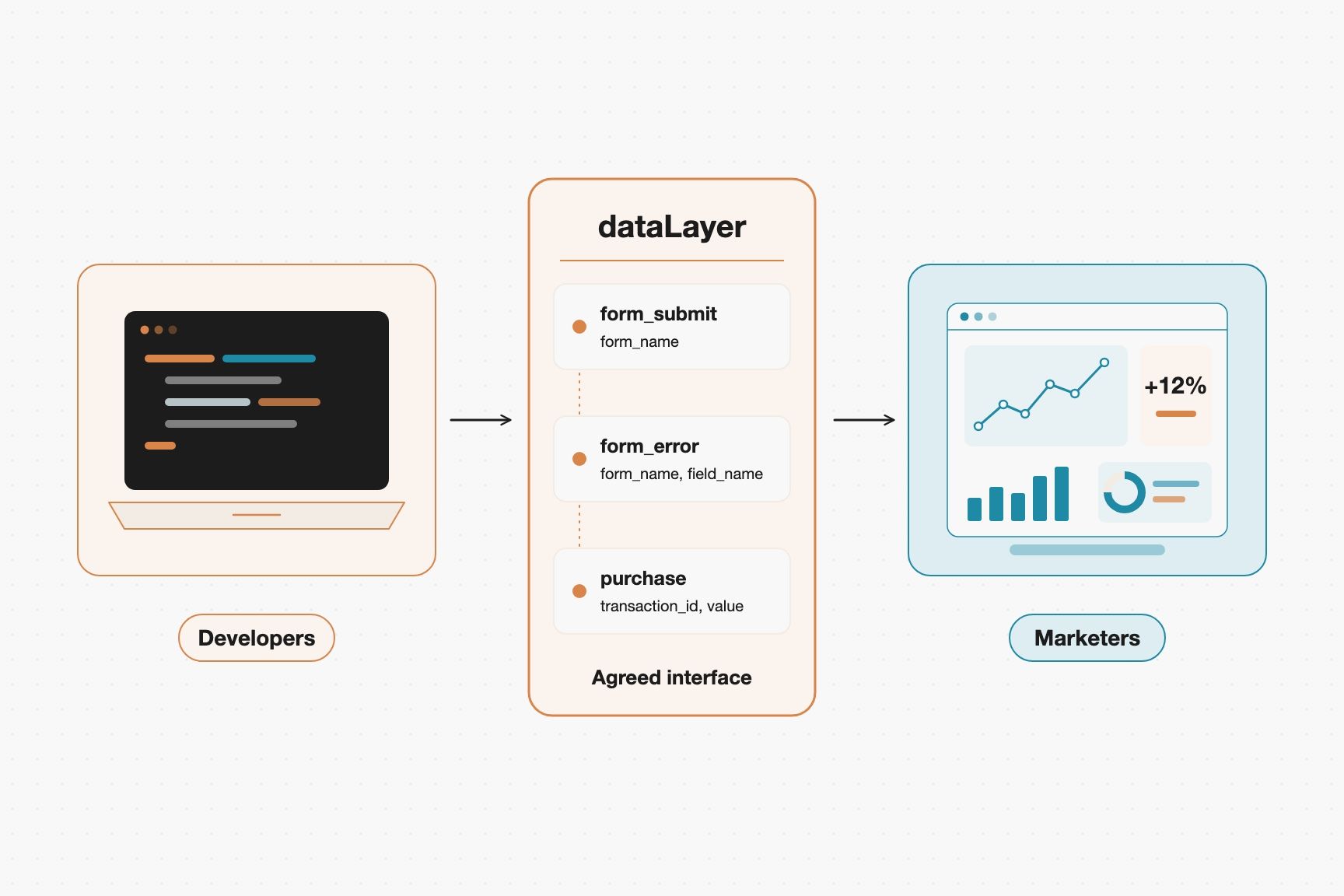
One agreed interface lets both sides work without blocking each other
A few rules keep the contract clean:
- Use snake case for event names and parameters, and nothing else.
- Use GA4 recommended names where they exist (
search, login, purchase). GA4 understands these events out of the box, and ecommerce events like purchase feed GA4's ecommerce reporting.
- Name events with verbs and parameters with nouns:
form_submit with form_name, not contactFormSubmitted with isContact.
- Omit empty values. Leave the key out instead of pushing
undefined.
The easiest way to enforce this is through a typed function. Components should never touch window.dataLayer directly. Instead, they should call a helper function, so the compiler checks the payload.
declare global {
interface Window { dataLayer: Record<string, unknown>[] }
}
type EventMap = {
form_submit: { form_name: string };
search: { search_term: string; results_count: number };
};
export function track<K extends keyof EventMap>(event: K, params: EventMap[K]) {
if (typeof window === 'undefined') {
return;
}
window.dataLayer = window.dataLayer || [];
window.dataLayer.push({ event, ...params });
}
It also gives us one place to add validation, debug logging in development, and an alias from the old event name to the new one when a name changes.
Write events down in a tracking plan, a simple table with the event, trigger, parameters, and purpose, so a request like "can we track X?" becomes a simple pull request against the plan. We should not rely on CSS selectors for clicks that matter. A class rename in a refactor breaks them, and nobody notices until a report looks wrong, when it's too late.
Keeping the setup healthy
Take care of these early, because they pay off later:
- Use naming conventions:
GA4 - Event - form_submit for tags, CE - form_submit for custom event triggers, and DLV - page_type for variables.
- Add version notes: write down what changed and why, because we will need them during an incident or outage.
- Prefer custom templates over Custom HTML: templates run in a sandbox and declare the permissions they need, while Custom HTML can do anything on the page.
- Limit who can publish: keep publish rights within a small group.
- Remove tags nobody can justify: every tag is code running on our users' devices.
Consent defaults need to be set before any tag fires. Consent Mode only works if the default state is declared before any tag evaluates, otherwise the defaults will not take effect. Declare everything denied, and then update when the user makes their choice.
window.dataLayer = window.dataLayer || [];
function gtag() { window.dataLayer.push(arguments); }
gtag('consent', 'default', {
ad_storage: 'denied',
ad_user_data: 'denied',
ad_personalization: 'denied',
analytics_storage: 'denied',
});
gtag('consent', 'update', { analytics_storage: 'granted' });
Define gtag exactly like this, because it pushes the arguments object, as Google's own examples do. Pushing a plain { consent: ... } object by hand is not the documented way to send consent commands. If the banner loads late, add wait_for_update (in milliseconds) to the default command so tags wait for the stored choice.
If the banner loads through GTM itself, which Google recommends, use a consent management template, which updates consent for us when the user interacts with the banner. Custom templates can use the setDefaultConsentState and updateConsentState APIs instead of page-level gtag code.
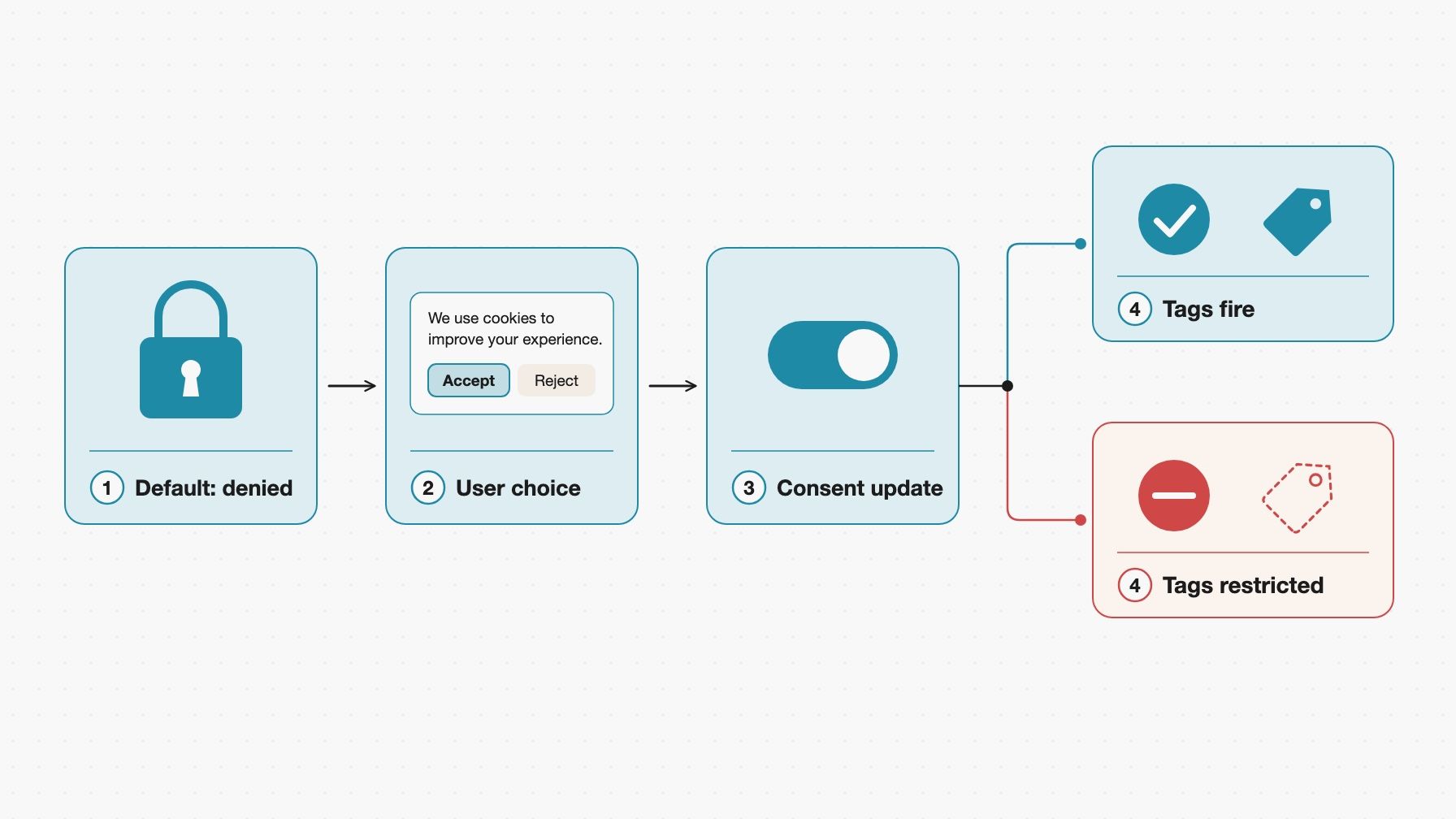
Everything starts denied, and tags only fire once the user accepts
Preview mode and Tag Assistant are great for exploring, but they are manual. Add at least one automated test that clicks through a key flow and checks that the expected event landed in window.dataLayer. It tests the contract, and it fails in CI instead of in a report three weeks later.
What to track, and what not to
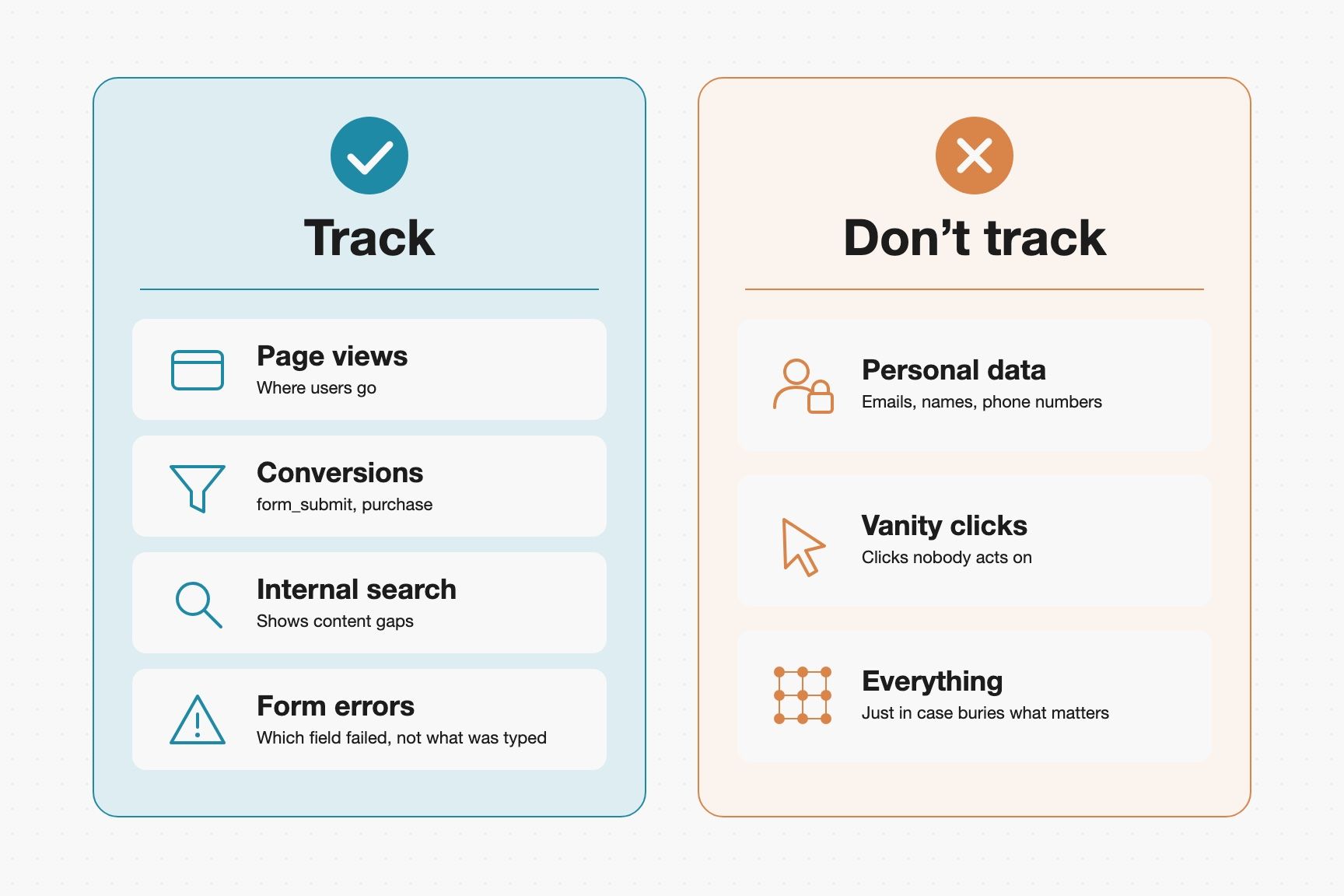
Start with the questions we want answered, not with the events. Page views and conversions come first. Then add product signals that show where users get stuck, like form errors and internal search. For form errors, we should track which field failed, not what the user typed. Performance signals like Web Vitals are worth adding when slow pages could be costing conversions.
For example, if the website is used to sell something, implement the GA4 funnel in order: view_item, add_to_cart, begin_checkout, purchase.
| Event | Trigger | Parameters | Purpose |
|---|
search | User searches | search_term, results_count | Find content gaps |
form_submit | Successful submissions | form_name | Measure the conversion |
form_error | Validation fails | form_name, field_name, error_type | Spot confusing fields |
purchase | Order confirmations | transaction_id, currency, value, items[] | Revenue reporting |
GA4's enhanced measurement can also collect its own form_submit event. If we push our own form_submit, turn off form interactions in the stream's enhanced measurement settings, or submissions can be counted twice.
Signals that answer real questions versus noise and risky data
Just as important is what should be left out. Do not put personal data like emails, names, or phone numbers into event parameters, page paths, or query strings. Once it is in a vendor's system, we cannot fully pull it back. Search terms deserve the same care, because people do type emails and names into search boxes. If the product handles sensitive queries, send the term's length or a category instead of the raw text. Also, we should avoid tracking everything just in case, and skip vanity clicks with no decision behind them, because they only bury the events that matter.
Conclusion
GTM works best when the split is clear. Developers deliver a small, stable, documented set of events, and marketers build on top of it without waiting for a release. That takes a data layer that behaves like an API and consent handled before any tag fires.
A good first step is a tracking plan with five events, the typed track() helper, and consent defaults in place before the first container version goes live. Once the events are flowing, the next challenge is turning them into reliable reports. We cover that side in Scaling Analytics Data Platform with dbt and BigQuery.
Sources